


Managing employees is not always easy. Mistakes, misconduct, and performance issues are part of every workplace. That’s where an employee write up form becomes essential.
A well-designed employee write up form helps you document issues clearly, protect your business legally, and guide employees toward improvement. But many companies still use outdated or ineffective forms that create confusion instead of clarity.
In this step-by-step guide, you’ll learn how to create an employee write up form that actually works—simple, professional, and results-driven.
Table of contents
- Why an Employee Write Up Form Matters
- What Is an Employee Write Up Form?
- When Should You Use an Employee Write Up Form?
- Key Elements of an Effective Employee Write Up Form
- Step-by-Step Guide to Creating an Employee Write Up Form
- Best Practices for Using an Employee Write Up Form
- Common Mistakes to Avoid
- Sample Employee Write Up Form Template
- How an Employee Write Up Form Improves Workplace Performance
- Digital vs Paper Employee Write Up Forms
- Frequently Asked Questions (FAQs)
- Conclusion
Why an Employee Write Up Form Matters
An employee write up form is more than just paperwork. It plays a key role in maintaining workplace discipline and fairness.
Key Benefits
- Ensures consistent documentation
- Protects your business legally
- Improves employee accountability
- Helps track performance issues over time
- Supports fair disciplinary actions
Without proper documentation, it becomes difficult to justify decisions like warnings, suspensions, or terminations.
What Is an Employee Write Up Form?
An employee write up form is an official document used by employers to record employee misconduct, poor performance, or policy violations.
It typically includes:
- Employee details
- Description of the issue
- Date and time of incident
- Manager comments
- Corrective actions
- Employee acknowledgment
When Should You Use an Employee Write Up Form?
Not every mistake requires documentation. However, you should use an employee write up form in the following situations:
Common Scenarios
- Repeated lateness or absenteeism
- Poor job performance
- Violation of company policies
- Misconduct or inappropriate behavior
- Failure to follow instructions
Consistency is key. If you write up one employee for an issue, you should apply the same standard to others.
Key Elements of an Effective Employee Write Up Form
To create a professional and useful HR write up form, include the following components:
1. Employee Information
Include basic details such as:
- Full name
- Job title
- Department
- Employee ID
2. Incident Details
Clearly describe:
- What happened
- When it happened
- Where it happened
Keep it factual and avoid emotional language.
3. Policy Violation
Mention the specific company policy that was violated. This adds clarity and legal strength.
4. Manager’s Statement
Provide a brief explanation from the supervisor’s perspective.
5. Employee’s Response
Allow space for the employee to explain their side of the story.
6. Corrective Action Plan
Outline what the employee needs to do to improve.
Examples:
- Attend training
- Improve attendance
- Meet performance targets
7. Signatures
Include:
- Employee signature
- Manager signature
- Date
This confirms acknowledgment, not necessarily agreement.
Step-by-Step Guide to Creating an Employee Write Up Form
Let’s break it down into simple steps.
Step 1: Choose a Clear Format
Start with a clean and simple layout. Avoid clutter.
You can use:
- Word document
- Google Docs
- HR software
Keep it easy to read and fill out.
Step 2: Add a Professional Header
Your employee write up form should include:
- Company name
- Logo (optional)
- Title: “Employee Write Up Form”
This makes the document official.
Step 3: Include Employee Details Section
Create a section at the top for basic employee information.
Example:
- Name:
- Position:
- Department:
- Date:
Step 4: Describe the Incident Clearly
This is the most important part of the form.
Tips:
- Be specific
- Use facts, not opinions
- Avoid vague statements
❌ Bad: “Employee has a bad attitude”
✅ Good: “Employee refused to follow instructions during the team meeting on March 5”
Step 5: Mention Company Policy
Link the issue to a company rule or policy.
This shows that the action is not personal but based on established guidelines.
Step 6: Add Corrective Actions
Clearly explain what needs to change.
Examples:
- Improve punctuality within 30 days
- Complete assigned tasks on time
- Attend behavioral training
Step 7: Provide Space for Employee Comments
Always allow employees to share their side.
This builds trust and ensures fairness.
Step 8: Include Signatures
At the end of the HR write up form, include:
- Employee signature
- Manager signature
- HR signature (optional)
Best Practices for Using an Employee Write Up Form
Creating a form is one thing—using it correctly is another.
Follow These Tips
- Be consistent with all employees
- Document issues immediately
- Stay professional and objective
- Keep records organized
- Avoid emotional language
Common Mistakes to Avoid

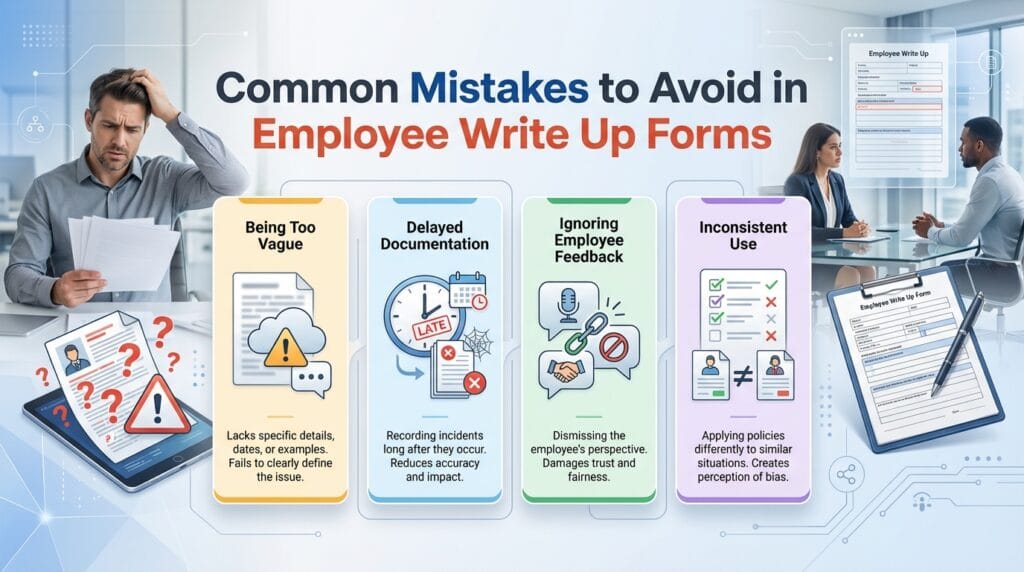
Many businesses misuse the HR write up form. Avoid these errors:
1. Being Too Vague
Lack of details weakens your documentation.
2. Delayed Documentation
Waiting too long can create confusion and disputes.
3. Ignoring Employee Feedback
Not allowing employee input can damage trust.
4. Inconsistent Use
Applying rules differently to employees can lead to legal issues.
Sample Employee Write Up Form Template
Here’s a simple structure you can follow:
HR write up form
- Employee Name:
- Job Title:
- Department:
- Date:
Incident Description:
(Explain what happened clearly)
Policy Violated:
(Mention company rule)
Manager Comments:
(Brief explanation)
Employee Comments:
(Employee response)
Corrective Action:
(What needs to improve)
Signatures:
Employee: _______
Manager: _______
Date: _______
How an Employee Write Up Form Improves Workplace Performance
A well-structured HR write up form doesn’t just document problems—it helps solve them.
Positive Impact
- Encourages accountability
- Provides clear expectations
- Reduces repeated mistakes
- Supports employee growth
- Builds a fair work culture
When employees understand consequences and expectations, they are more likely to improve.
Digital vs Paper Employee Write Up Forms
Both formats have pros and cons.
Digital Forms
Pros:
- Easy to store
- Quick access
- Environment-friendly
Cons:
- Requires tools/software
Paper Forms
Pros:
- Simple to use
- No technology needed
Cons:
- Hard to organize
- Can be lost easily
Choose what fits your business needs.
Frequently Asked Questions (FAQs)
An HR write up form is used to document employee misconduct, performance issues, or policy violations.
Yes, it often serves as a formal warning and part of the disciplinary process.
Yes, but you can note “employee refused to sign” and still keep the document on record.
It depends on company policy. Many businesses follow a 3-step disciplinary process.
Not always, but HR involvement is recommended for serious or repeated issues.
Yes, proper documentation helps defend against legal disputes and wrongful termination claims.
Typically, companies keep them for at least 1–3 years, depending on policy and laws.
Conclusion
An effective employee write up form is a powerful tool for managing workplace behavior and performance. It ensures fairness, protects your business, and helps employees understand expectations clearly.
By following this step-by-step guide, you can create a professional and practical form that actually works—not just for documentation, but for real improvement.
The key takeaway:
Be clear, be consistent, and focus on solutions—not just problems.


